Quotes and order forms
Close deals from the quote — no app-switching, no scan-and-email, no waiting until the next day.
Quote-to-signature flow: current vs EndorsedSign
| Step | Current state | With EndorsedSign |
|---|---|---|
| Generate quote | Manually edited PDF or proposal tool | Template pre-loaded — fields mapped to deal data |
| Deliver quote | Email PDF + separate signing tool link | One link in the quote email — sign in browser, no account |
| Get signature | Customer prints, signs, scans, sends back | OTP signing in under 5 minutes from any device |
| Follow up | Manual reminder emails or calls | Automatic reminder cadence — configurable per template |
| CRM update | Manual entry on receipt of signed copy | Webhook fires on completion — CRM updated programmatically |
| Store agreement | Email attachment or shared drive | Sealed document in tenant storage, searchable by customer |
Integration patterns for quotes
API-fed templates
Your CRM or proposal tool uploads the finalised quote PDF via API and creates an envelope. The signing link is returned for embedding in your UI.
Webhook on completion
When the customer signs, a webhook fires to your backend. Update the deal stage in your CRM automatically — no manual entry.
Signing link in email
No embed required. Your proposal email includes a signing link. Customer signs in browser without leaving their inbox context.
Real-time tracking
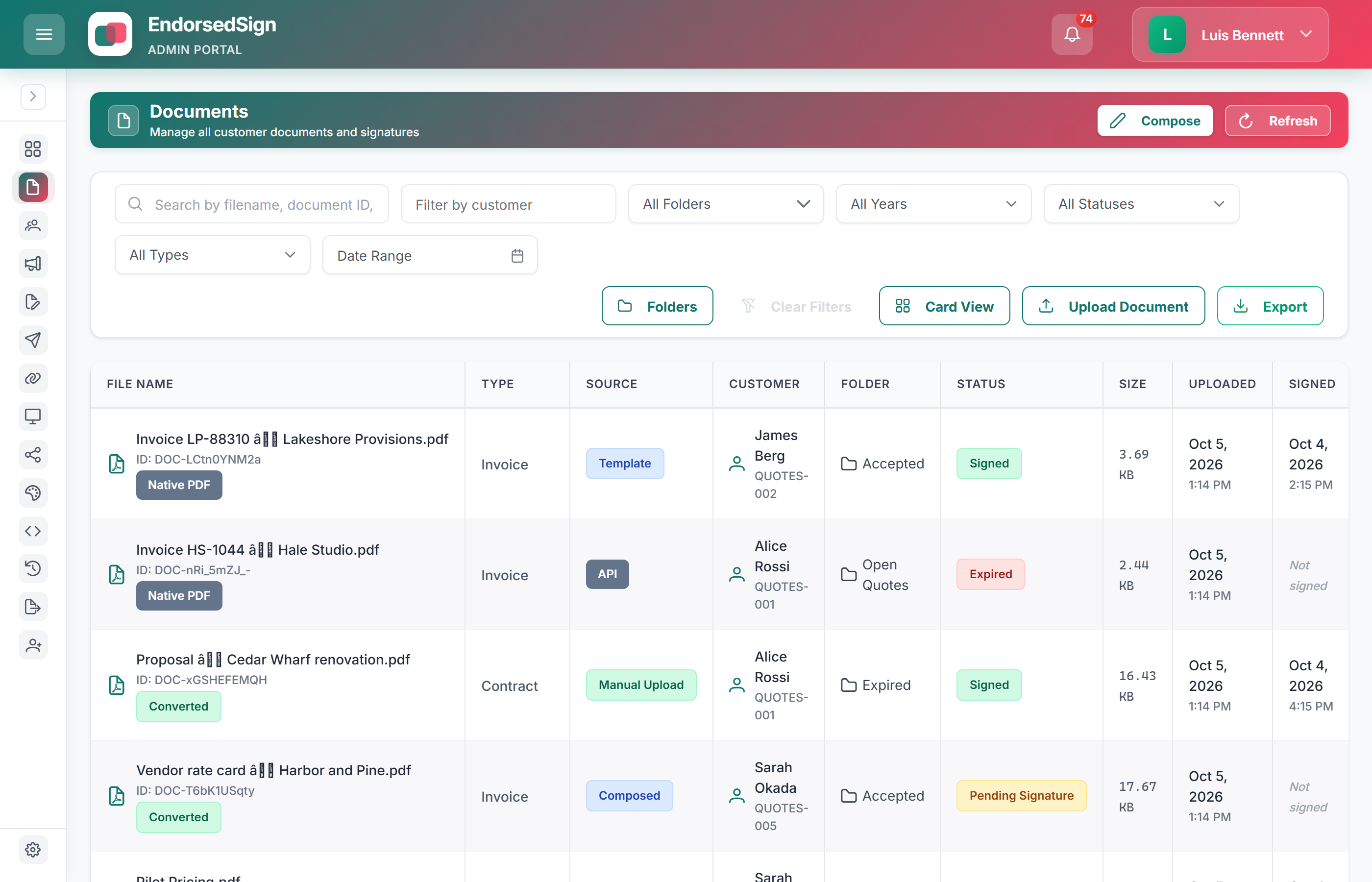
The admin dashboard shows which quotes are pending, signed, or expired across the full pipeline. Filter by rep or template.
Common questions about quote and order form workflows
Quotes with live statuses, not a pipeline sketch
Set up a quote-to-close workflow in your sandbox
We will configure a quote template and a demo webhook handler for CRM updates.