Envelopes and signing
Multi-party envelopes with signer, approver, and CC roles, sequential or parallel order, and a hash-chained audit trail on every transition.
Envelope roles and what they can do
| Role | Can sign | Can approve without signing | Receives copy | Can decline |
|---|---|---|---|---|
| Signer | ✅ | — | — | ✅ |
| Approver | — | ✅ | — | ✅ |
| CC | — | — | ✅ | — |
Role order is set per template. Sequential order means each role is notified only after the previous completes.
Envelope lifecycle
- 1
Draft
Choose a template, add recipient emails for each role, set reminders, expiry, and decline handling.
- 2
Sent
First-in-order recipients receive a notification. One-time passcode access — no account or app required.
- 3
In progress
Each party signs or approves in turn (sequential) or simultaneously (parallel). Audit events record every action.
- 4
Completed
All parties done. Certificate of completion and final document are sealed. Envelope moves to retention.
Key controls on every envelope
Role order
Sequential or parallel. Sequential ensures each party only sees the document after the prior role completes.
Reminders and expiry
Set automatic reminder cadence and an expiry date. Expired envelopes are marked and can be voided or re-sent.
One-time passcode access
Default signer identity check. No app download, no account creation. Passcode delivered to signer's email or phone.
Decline and void
Any signer can decline with an optional reason. Operators can void at any stage. Both actions land on the audit trail.
Hash-chained audit trail
Every transition — sent, opened, signed, declined, voided — is recorded with timestamp, IP, and correlation ID.
Certificate of completion
Generated at completion. Contains a summary of all signing events, signer identities, and document fingerprint.
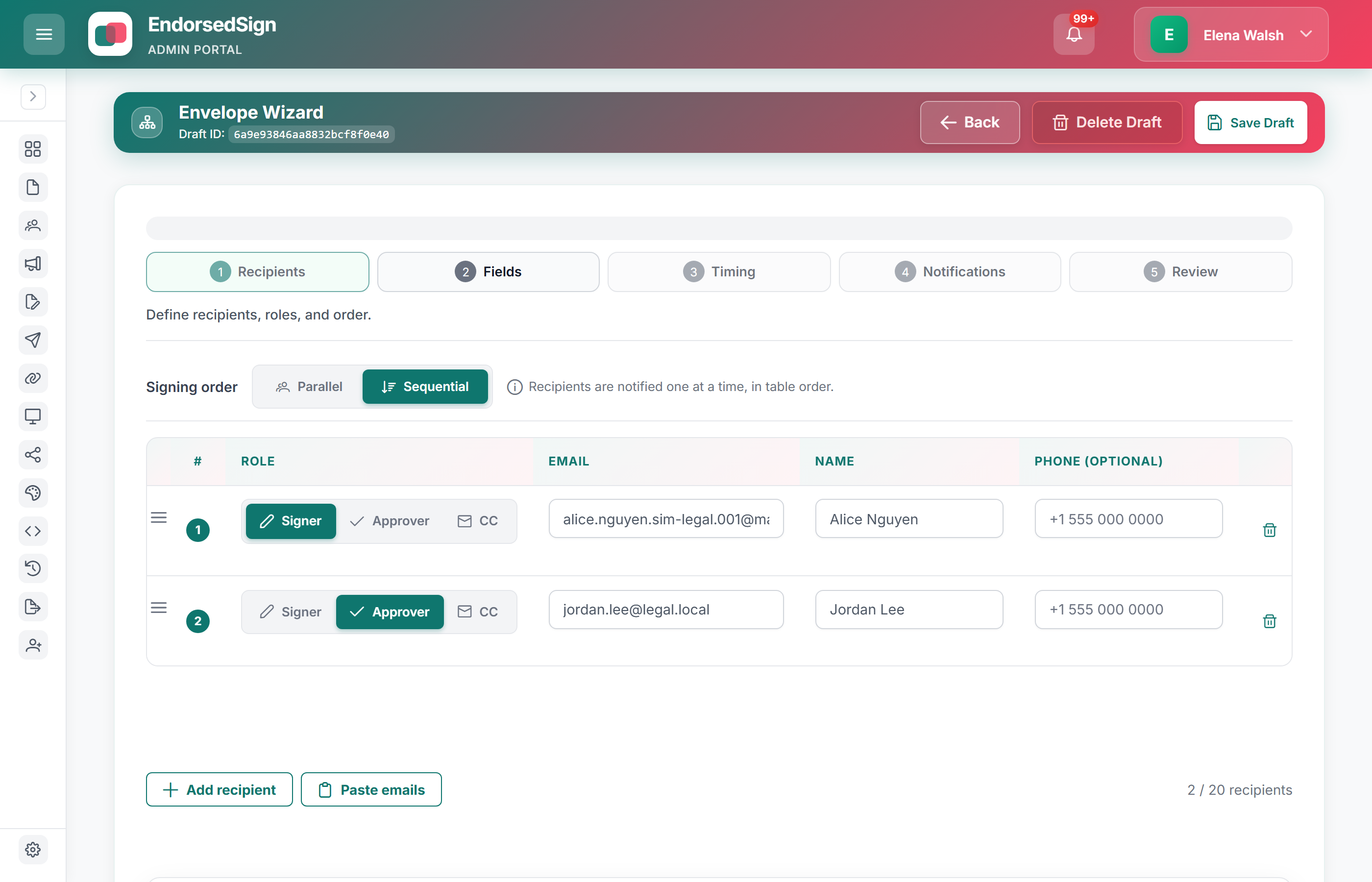
The envelope wizard, as operators use it
Sequential or parallel order, named recipients, and role toggles — the same draft chrome your team sends from.
Roles, not mystery checkboxes
Signer, approver, and CC are first-class. Sequential order notifies the next party only after the previous completes.
Decline and void are recorded
A declined envelope does not vanish. Operators can void, clone, or leave the declined record on the trail.
Certificate at completion
Signed file plus completion certificate — event summary, identities, document hash.
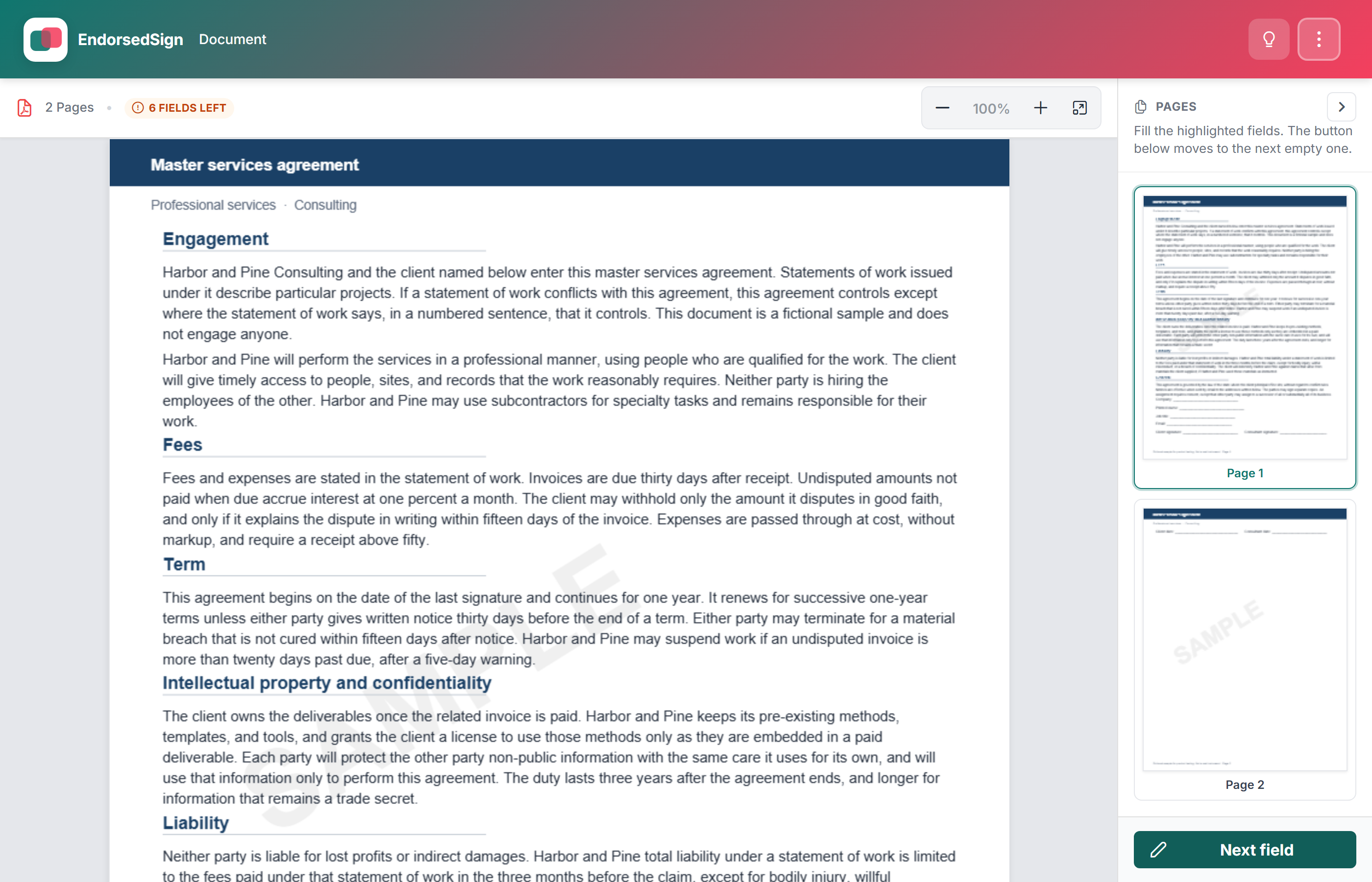
What the signer actually sees
A live customer portal surface with populated data and active signing controls.
Send your first envelope in the sandbox
Sandbox tenants include demo templates and test signer paths. Start a trial to run a full envelope end-to-end.