Compose and templates
Write in-browser or upload a PDF, place fields on a live overlay, and save reusable templates — folder structure and field mapping preserved.
From document to signed template in four steps
- 1
Upload or compose
Upload a PDF or compose a document directly in the browser. Multi-page PDFs and imports are supported.
- 2
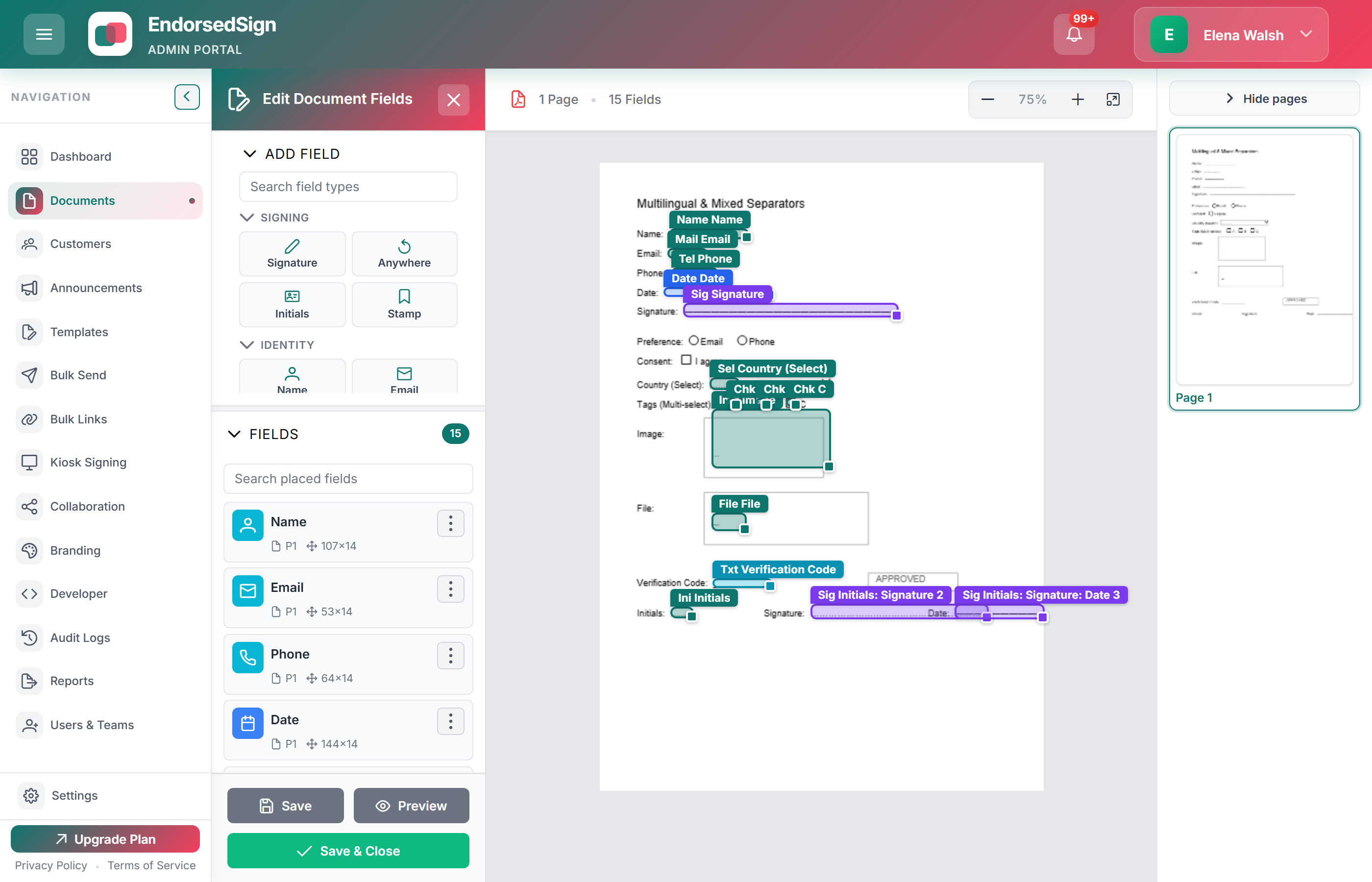
Place fields on the live overlay
Drag signature, initials, date, text, and checkbox fields onto the document. Fields are tied to roles, not individuals.
- 3
Assign to roles
Each field belongs to a signer, approver, or CC role. The role mapping carries through every envelope created from this template.
- 4
Save as a reusable template
Save to a folder, assign a naming template, and it is ready for envelopes, bulk send, and signing links — no re-configuration per use.
Compose in the same chrome you send from
Write in-browser with live presence, then lock the draft before the envelope goes out. This is the actual editor — not a drawing.
Live field overlay
Signature, initials, date, text, and checkbox fields sit on the page and bind to roles, not people.
Review-and-lock
Presence shows who is in the draft. Lock before send so the last editor cannot silently change the pack.
Reusable after save
The same template feeds envelopes, bulk send, signing links, and kiosk sessions.
What templates enable downstream
Envelopes
Select a template, add recipient emails for each role, and send. Field map and order are already set.
Learn more →Bulk send
Run one template across a recipient list. Each row in the CSV becomes an independent envelope.
Learn more →Signing links
Publish a link that points at a template. Every visitor starts a fresh envelope from that template automatically.
Learn more →Kiosk sessions
Launch a template in kiosk mode for sequential in-person signing without inbox round-trips.
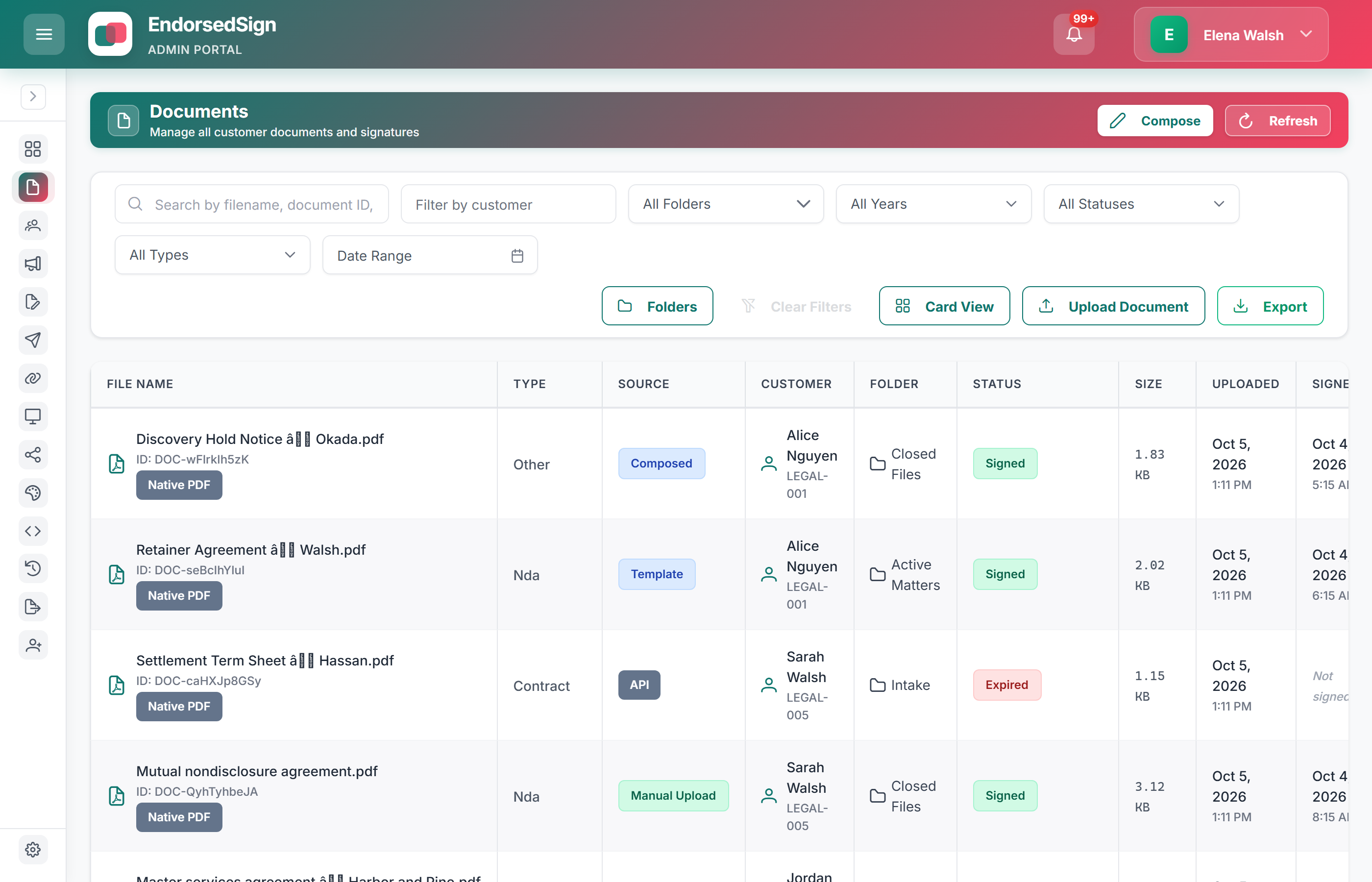
Learn more →Then it lives in the document workspace
Every upload or compose lands here — searchable, filterable, with status badges your operators already recognise.
Start building templates in your sandbox
Start a trial to get sandbox credentials with demo templates pre-loaded.