Operations teams
Recurring contract workflows run from templates — consistent naming, retention policy, and folder structure without setup work each time.
Consistent naming and retention per workflow
No setup work per envelope
Renewals dispatched in one operation
CSV list to full renewal run
Retention schedule automated
Deletion is audited, not manual
Template access per team
Right team, right document
How a recurring contract workflow runs
- 1
Create template once
Upload the standard agreement, place fields, set a naming template (e.g. {year}-{counterparty}-{type}), and configure the retention schedule. Done once per document category.
- 2
Send from template each cycle
Open the template, fill in counterparty details, and send. Naming, folder placement, and retention are applied automatically — no manual filing.
- 3
Track completion across the cycle
For renewals or policy updates, bulk send to a recipient list in one operation. The dashboard shows who has signed and who has not, per renewal cycle.
- 4
Archive and retain automatically
Completed envelopes are retained according to the policy you configured. Expiry alerts and automated deletion events are recorded in the audit trail.
Before and after EndorsedSign for operations
| Task | Without EndorsedSign | With EndorsedSign |
|---|---|---|
| Send recurring contract | Manual Word edit, rename, email — each cycle | Open template, fill counterparty, send — naming and retention applied |
| Track renewal status | Spreadsheet or calendar reminder | Per-envelope status in dashboard; expiry alerts automatic |
| Bulk policy update | 200 individual emails | Bulk send: one operation, per-staff completion tracked |
| File signed copy | Manual save to shared drive | Folder placement determined by template; searchable from admin portal |
| Prove retention compliance | Manual log or absence of deletion evidence | Audit trail records every retention decision and deletion event |
What operations teams use EndorsedSign for today
Supplier contracts
Standard supplier agreements sent from template with sequential approval + countersignature. Filed in the supplier folder automatically.
Annual contract renewals
Bulk send renewal envelopes to all suppliers or partners in one operation. Track completion across the full renewal cycle.
SLA and service level agreements
SLAs sent with approval gate for internal review before the supplier signs. Role order enforces the process.
Document retention management
Configure retention policy per document category. Completed envelopes are automatically tagged for the right deletion schedule.
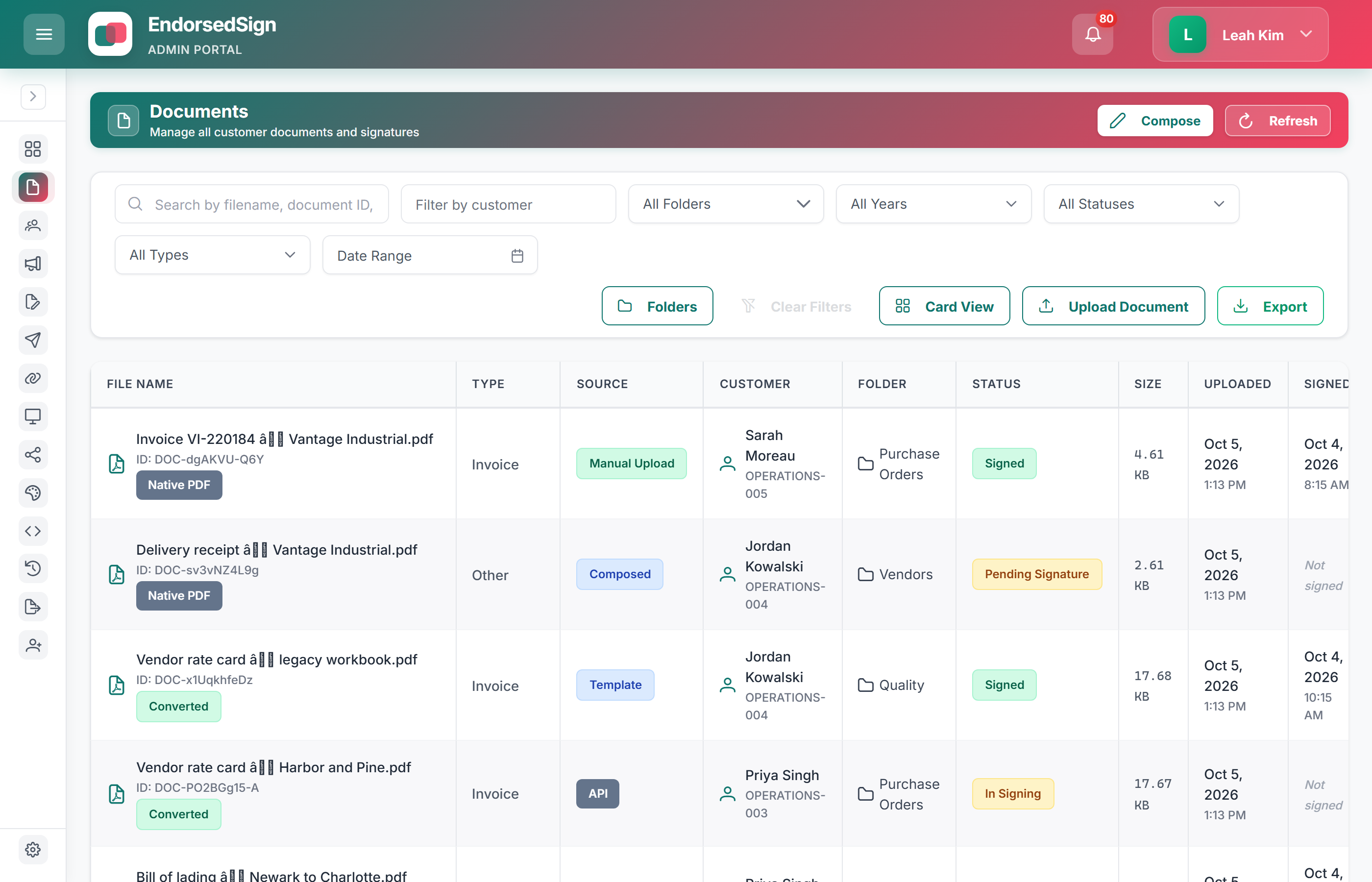
Admin portal — template and folder structure
Operations teams organise templates in folder hierarchies. Each template carries a naming pattern and retention policy — no manual filing per envelope.
Common questions from operations teams
Set up a supplier renewal workflow in your sandbox
We will configure a folder structure, naming template, and bulk-send demo for a renewal scenario.