Admin and teams
One workspace for documents, templates, folders, users, teams, customers, and envelope operations — daily agreement work without spreadsheet side channels.
What the admin workspace covers
Every operational surface your staff needs is in one place. No separate tool for each workflow stage.
Documents and envelopes
Create, send, track, and manage all envelopes. Search by status, recipient, template, or date.
Learn more →Templates and folders
Folder hierarchies, naming templates, and share-across-teams without a second filing system.
Learn more →Users and teams
Invite staff, assign roles, organise teams. RBAC gates create, send, view, and administer.
Learn more →Customer directory
Downstream customers or signers in one list — history per customer, not a spreadsheet.
Learn more →Activity and reporting
Volume, completion, and team activity. Advanced reporting is plan-gated — not marketed as free-for-all.
Visual workflow builder
No-code routing and approvals on higher plans. Gated, not “coming soon.”
Operator surface, same chrome
A live admin screen from a legal tenant with mixed document statuses and seeded records.
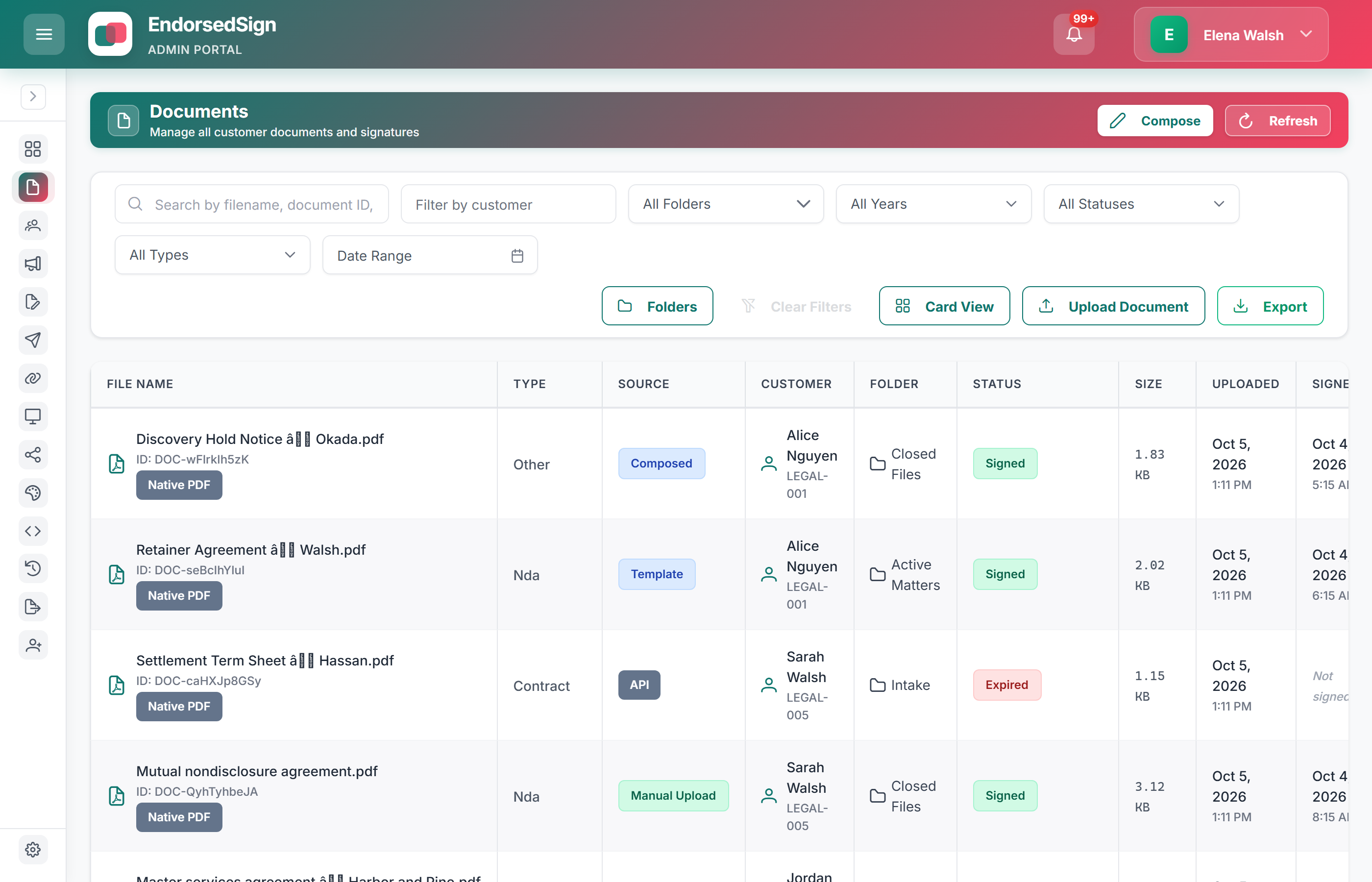
Navigation on desktop
The tenant menu captured in collapsed state for a clean full-width workspace view.
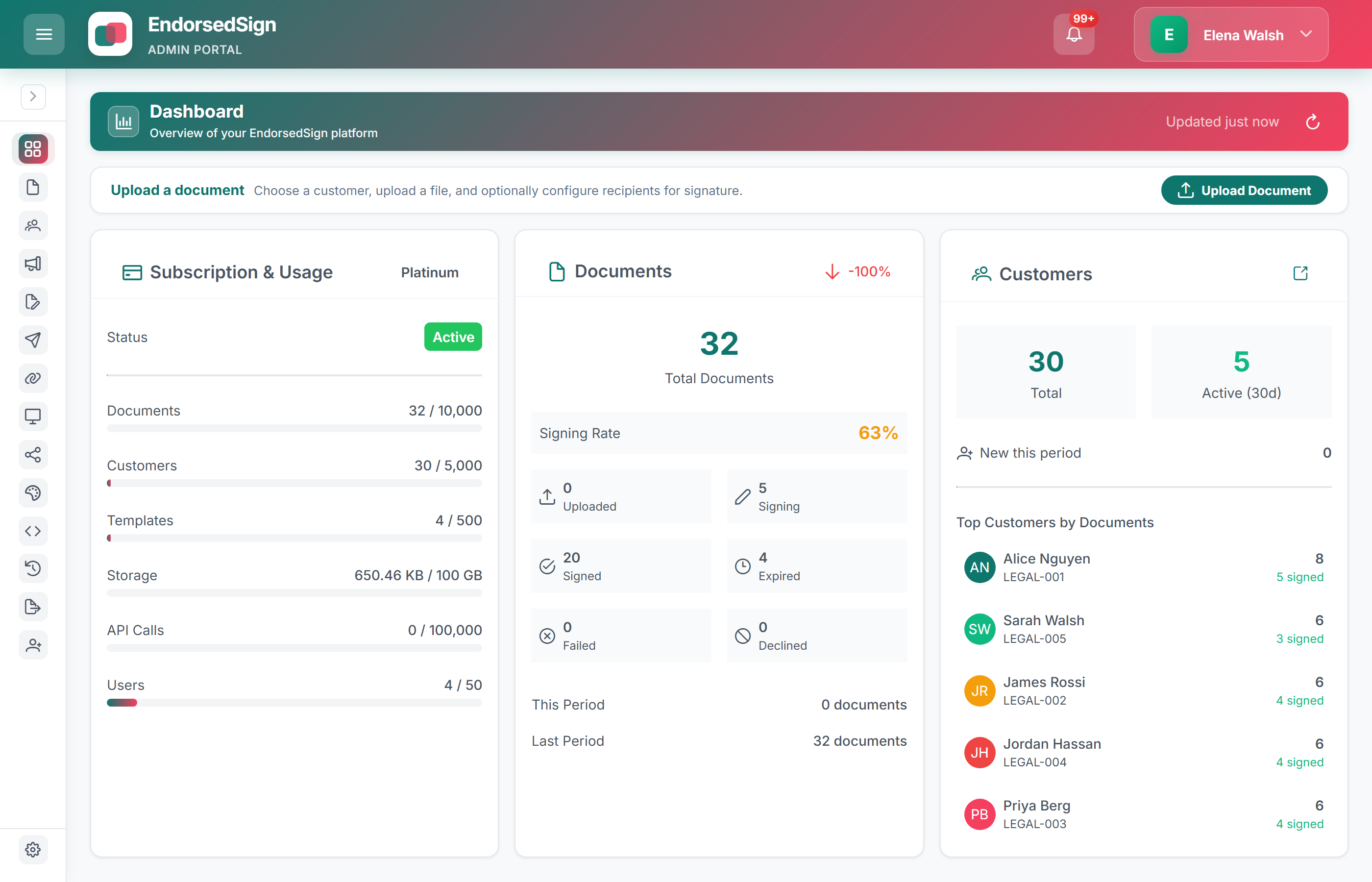
See the admin workspace in a sandbox
Sandbox and production workspaces come with demo data options — documents, templates, and customers ready to explore.